
For years, mechanical keyboards were relegated to the dimly lit rooms of hardcore gamers. To the average professional, they were seen as “too loud,” “too flashy,” or simply unnecessary.
But as we transition into an era where digital input is our primary labor, the “standard” membrane keyboard, the mushy, plastic board that came with your office PC, is no longer enough. Here is why the professional world is making the switch back to mechanical.
1. The End of “Mushy” Typing
Standard office keyboards use a rubber dome membrane. You have to “bottom out” the key (press it all the way down) for the computer to register the letter. This creates a sluggish feeling and increases finger fatigue.
- The Mechanical Edge: Mechanical switches have a physical “actuation point.” You can feel exactly when the key registers. This leads to fewer typos and a much faster typing rhythm once your muscle memory adjusts.
2. The “Quiet” Revolution
The biggest hurdle for office adoption has always been noise. No one wants to be the person clicking away like a typewriter in a quiet meeting.
- The Solution: Modern switches like Silent Reds or Browns offer the tactile feel of a mechanical board without the sharp “click” sound. With the addition of internal foam dampening, a high-end mechanical keyboard can actually be quieter and deeper-sounding than a cheap plastic one.
3. To Numpad or Not to Numpad?
For engineers and accountants, the Numpad is non-negotiable for coordinate and data entry. However, for those focused on writing or coding, a TKL (Tenkeyless) or 75% layout is often better.
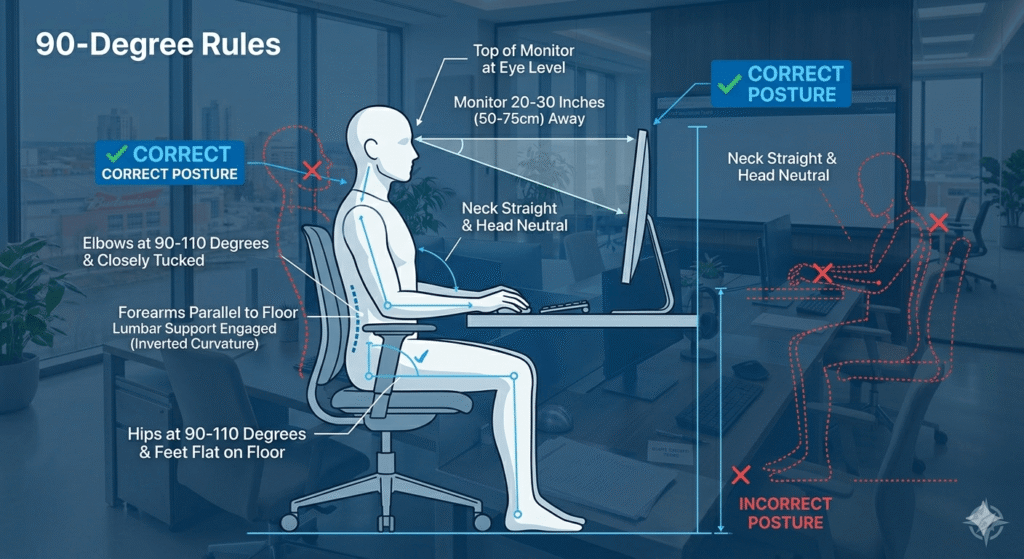
- The Ergonomic Benefit: Removing the Numpad allows your mouse to sit closer to your center. This prevents “shoulder flare,” reducing the strain on your rotator cuff over a long day.
4. Durability: A 10-Year Investment
A standard membrane keyboard is usually rated for 5 million keystrokes. A premium mechanical switch is rated for 50 million to 100 million.
- The CRADIZ Philosophy: We believe in tools that last. Investing in a mechanical keyboard isn’t just about the feel; it’s about buying a piece of hardware that will remain as crisp on day 1,000 as it was on day 1.
5. Customization with Macros
Just like our CAD mice, professional keyboards allow for programmable layers. Imagine hitting a toggle and having your entire home row turn into shortcuts for your specific software—Excel macros, Photoshop tools, or CAD commands.